
LTO Ultrium Tape Cartridges
Tape has never had a brighter future for archiving, backup and restore. With capacities now at 40TB native and up to 100TB compressed with the new LTO-10 tape, and tapes offering much higher reliability than Flash/SSD and traditional hard drives, it has become an important part of all organisations' storage hierarchy. So much for those who said tape was dead! Please view these articles on using data tape now and in the future.
Tape Storage Booming Again thanks to AI
Unprecedented Data Growth for Tape
Guarding Against Insider Threats in an AI World
LTO Cartridge Handling - Handle the LTO cartridge carefully, as it may be damaged if dropped. Place tape barcodes, RFID barcodes, or other labels only in the recessed area on the front side next to the Write Protect switch. When not in use, store the cartridge in its plastic clamshell case. Do not store or transport the cartridge in direct sunlight. Always acclimatise LTO cartridges for at least 24 hours in the environment they will be used. Failing to do this can damage the tape recording surface and reduce its reliability and life.
Setting the Write Protect Switch on LTO Tapes - If the switch next to the label recess is set to the far-right lock symbol, you cannot write to the tape. If the switch is set to the far-left blank, you can write to the tape. Please ensure it is set to one side or the other, as the data owner requires.
To load or unload an LTO cartridge into an LTO Ultrium drive, ensure the drive is on and the write-protect switch is set correctly (see above). Hold the cartridge so the write-protect switch (on the left) and label recess face you, then slide the cartridge into the drive. To unload, press the unload button, then remove the cartridge the same way you inserted it.
LTFS (Linear Tape File System) is an open standard file system format implemented for LTO5-LTO10 tapes. It lets you handle data on these LTO tapes like files on a hard drive. The tape includes a metadata area, allowing users to avoid dependence on backup software while enabling cross-platform data exchange.
ReadLessSub Categories
-
 LTO10, LTO Ultrium 10 Data Cartridges
-
 LTO9, LTO Ultrium 9 Data Cartridges
-
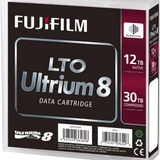 LTO8, LTO Ultrium 8 Data Cartridges
-
 LTO7 M8, LTO Ultrium 7 M8 Data Cartridges
-
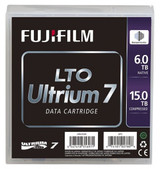 LTO7, LTO Ultrium 7 Data Cartridges
-
 LTO6, LTO Ultrium 6 Data Cartridges
-
 LTO5, LTO Ultrium 5 Data Cartridges
-
 LTO4, LTO Ultrium 4 Data Cartridges
-
 LTO3, LTO Ultrium 3 Data Cartridges
-
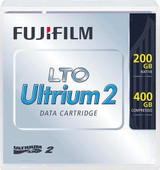 LTO2, LTO Ultrium 2 Data Cartridges
-
 LTO1, LTO Ultrium 1 Data Cartridges
-
 LTO Ultrium Cleaning Cartridges
-
 LTO Tape Barcode Labels
-
 LTO Tape Analysers
-
 LTO Individual Plastic Clamshell Tape Cases